Compliance Built Around Desktop Accounting Workflows
Inside the QuickBooks Desktop Workflow
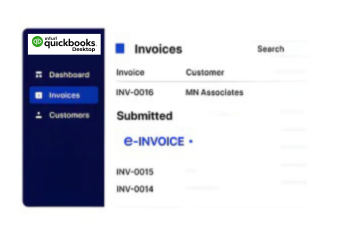
- Source Data Transfer: QuickBooks Desktop data enters Advintek securely, establishing a reliable source for downstream invoice processing activities.
- Invoice Field Review: Advintek reviews relevant invoice fields and highlights information requiring correction before further workflow processing begins.
- Structured Record Creation: Validated invoice information is organized into structured records suitable for Qatar’s evolving electronic invoicing requirements.
- Controlled Process Routing: Processed records follow defined routes across connected accounting and compliance environments with controlled visibility.
- Regulatory Workflow Preparation: Advintek prepares Desktop invoice workflows for emerging requirements within Qatar’s developing digital tax environment.
- Accessible Record Handling: Relevant records remain organized for reconciliation, reporting, review, and controlled administrative access when required.
What Advintek Adds to Desktop
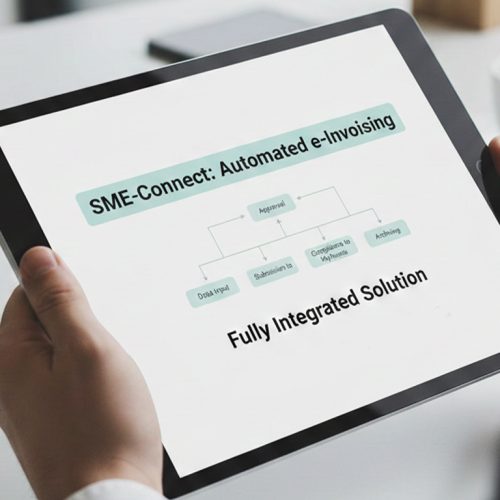
Advintek provides an integration layer around QuickBooks Desktop, helping finance teams coordinate invoice validation, structured processing, compliance preparation, and record management aligned with Qatar’s GTA requirements.
- Validates QuickBooks Desktop invoice information securely
- Organizes invoice data for structured processing
- Coordinates compliance activities across connected systems
- Supports credit notes and invoice adjustments
Benefits for QuickBooks Desktop Operations
- Connected Accounting Flow: QuickBooks Desktop remains central while Advintek coordinates compliance-focused invoice processing around existing finance activities.
- Improved Data Accuracy: Automated checks identify incomplete invoice details before records progress through connected processing workflows securely.
- Streamlined Preparation: Systematic preparation reduces repetitive work involved in reviewing, organizing, and checking invoice information efficiently.
- Operational Visibility: Connected workflows provide finance teams with clearer oversight of invoice progress, exceptions, and operational status.
- Consistent Transactions: Standardized processes support consistent invoice information across recurring QuickBooks Desktop transactions and business activities.
- Flexible Regulatory Readiness: Flexible integration architecture helps Desktop workflows adapt as Qatar publishes further electronic invoicing specifications.
Capabilities Supporting Qatar Invoice Workflows
Invoice Validation
Identify missing, inconsistent, or anomalous invoice information through structured checks before further processing.
Workflow Monitoring
Track invoice activity, processing status, and exceptions across connected QuickBooks Desktop workflows.

Regulatory Connectivity
Connect QuickBooks Desktop with external compliance processes while supporting adjustments as Qatar’s e-invoicing requirements.
QuickBooks Desktop Businesses in Qatar
Businesses using QuickBooks Desktop across professional services, consulting, trading, agencies, and other finance-led operations can establish structured invoice processing with Advintek.
- Continue established QuickBooks Desktop accounting operations
- Coordinate billing information through connected processing
- Monitor invoice activity across structured workflows
- Maintain records ready for compliance review
Create a Connected Accounting Workflow
Connect QuickBooks Desktop with structured Qatar compliance workflows for readiness.
Prepare your accounting processes for evolving requirements.
Ready e-Invoice System
Frequently Asked Questions QuickBooks Desktop e-Invoicing Qatar
What happens to QuickBooks Desktop invoices in the connected workflow?
Invoices created in QuickBooks Desktop can remain within the existing accounting process while relevant information is transferred to Advintek for further handling. Advintek can organize the received data, apply applicable checks, and prepare records for subsequent processing. QuickBooks Desktop therefore continues to serve as the business’s primary accounting environment.
Does QuickBooks Desktop need to change for Advintek integration?
Businesses do not need to replace QuickBooks Desktop to introduce an additional invoice processing layer. Existing accounting activities can continue in Desktop while Advintek works around the source data through the connected workflow. The integration is intended to extend invoice processing capabilities while preserving familiar accounting practices and established financial records.
What role does invoice validation play for QuickBooks Desktop users?
Validation helps identify potential data issues before invoice records move further through the processing workflow. Depending on the connected setup, Advintek can check relevant invoice fields and flag missing, incomplete, or inconsistent information. This gives finance teams an opportunity to review records before they continue through subsequent processing activities.
Why should businesses review QuickBooks Desktop data now?
Qatar’s electronic invoicing framework is still developing, making it useful for businesses to understand how their current billing information is captured and maintained. Reviewing data quality, invoice structures, customer details, and tax information can help identify areas requiring attention before more detailed technical requirements and implementation guidance are introduced.
What types of QuickBooks Desktop records can be included?
The connected workflow can work with relevant billing records generated through QuickBooks Desktop, including standard invoices and associated transaction information. Where supported by the integration, related adjustments such as credit notes can also be handled. This allows connected records to retain their relationship with the underlying accounting information maintained in Desktop.