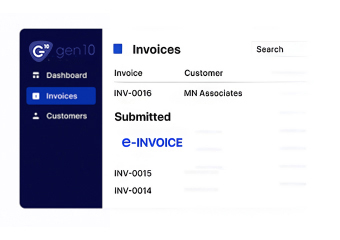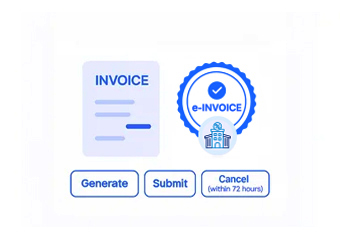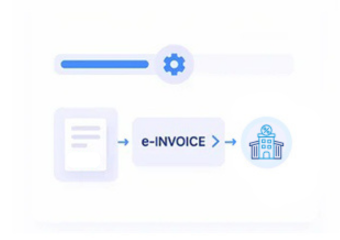


Qatar E-Invoicing Support for Gen10 Users
How Gen10 Moves Through Qatar E-Invoicing with Advintek
- Source Record Collection: Selected Gen10 sales, billing, customer, and transaction information is gathered for invoice processing.
- Invoice Field Organization: Commercial, customer, financial, and transaction details are arranged within configured invoice structures.
- Data Quality Screening: Relevant information undergoes configured validation checks before electronic invoice processing continues.
- Electronic Document Structuring: Verified Gen10 information is assembled into structured electronic invoice records with source references.
- Invoice Route Coordination: Prepared invoices move through configured Qatar e-invoicing workflows, with processing status retained for reconciliation.
What Advintek Adds to Gen10 for Qatar E-Invoicing
Advintek connects Gen10 information with structured Qatar e-invoice processing, helping businesses coordinate ERP records, customer information, transaction details, financial data, and electronic documents.
- Retrieves relevant commercial information from Gen10
- Converts ERP information into invoice structures
- Reviews configured fields before document processing
- Associates e-invoices with originating transactions
Qatar Benefits of Connecting Gen10 with Advintek
- Efficient Invoice Preparation: Structured processing reduces repetitive handling when Gen10 transaction information is used to prepare electronic invoices.
- Reliable Data Relationships: Configured mappings help maintain connections among customer, transaction, financial, and invoice information.
- Improved Billing Oversight: Connected records give finance teams supporting context for reviewing invoice activity originating from Gen10.
- Traceable Transaction Review: Source references allow teams to compare processed electronic invoices with their originating Gen10 records.
- Defined Invoice Controls: Configured validation checks support consistent handling of required information across Gen10 invoice workflows.
- Coordinated Financial Processing: Advintek connects Gen10 invoice information with accounting applications through structured electronic invoice data workflows.
Gen10 Functions Supporting Qatar E-Invoicing
Customer Reference Mapping
Gen10 customer references can link with invoice records for recipient details.
Transaction Tax Mapping
Configured tax information can map to relevant Gen10 transactions for invoicing.
Invoice Reference Tracking
Invoice identifiers can remain linked with processed documents for reconciliation.
Gen10 Invoice Processing Support for Qatar Businesses
Businesses using Gen10 can connect operational information with Qatar e-invoicing workflows while maintaining relationships between customers, sales activity, transaction data, invoices, financial records, and connected business systems.
- Connect customer information with e-invoice processing
- Organize transaction details across billing workflows
- Review electronic documents against Gen10 records
- Match invoice outcomes with source transactions
Build a Structured Digital Billing Workflow in Qatar
Connect Gen10 with Advintek for structured Qatar electronic invoice processing workflows.
Discuss your ERP integration requirements with specialists.
Ready e-Invoice System
Frequently Asked Questions GEN10 ERP E-Invoicing Qatar
Which Gen10 records can contribute to Qatar invoice processing?
Relevant Gen10 records containing billable business information can provide source data for electronic invoice preparation. Depending on the configured integration, selected sales, billing, customer, transaction, tax, and reference fields can be transferred into Advintek. The connected workflow can then organize and validate this information before continuing through Qatar e-invoice processing.
How can Advintek process tax information from Gen10?
Tax-related information available within Gen10 can be mapped to the applicable electronic invoice fields during processing. Advintek can apply configured validation rules to review relevant tax information and identify data issues before an invoice advances. This allows businesses to retain the tax context available in their ERP records within a structured Qatar invoicing workflow.
Can Gen10 references remain attached to Qatar e-invoices?
Relevant Gen10 transaction identifiers can remain associated with electronic invoice information throughout the configured workflow. These references can help finance teams trace processed documents back to their originating records when reviewing billing activity, checking exceptions, or reconciling transactions. This provides source context while keeping the invoice workflow connected to the ERP.
How can invoice data issues from Gen10 be identified?
Information received from Gen10 can pass through configured validation controls before reaching subsequent electronic invoice processing stages. Missing fields, inconsistent values, or other predefined data conditions can be identified during these checks. Teams can then review the affected Gen10 information, make required corrections within their established process, and continue invoice processing.
Can Gen10 support Qatar-focused electronic invoicing workflows?
Yes. Gen10 can remain part of the organization’s existing ERP environment while Advintek provides a connected electronic invoicing layer. Relevant Gen10 information can be mapped, checked, structured, and routed according to the configured Qatar e-invoicing workflow. This allows businesses to add electronic invoice processing while retaining their established Gen10 operational processes.